 Zhi Sang
My roleTunnel integration, tray management and Commander customization
StageIn ongoing local use and refinement
Tools & methodsMCP / OpenAI Tunnel / MCP Apps / TypeScript / C#
Let web AI take part in local work
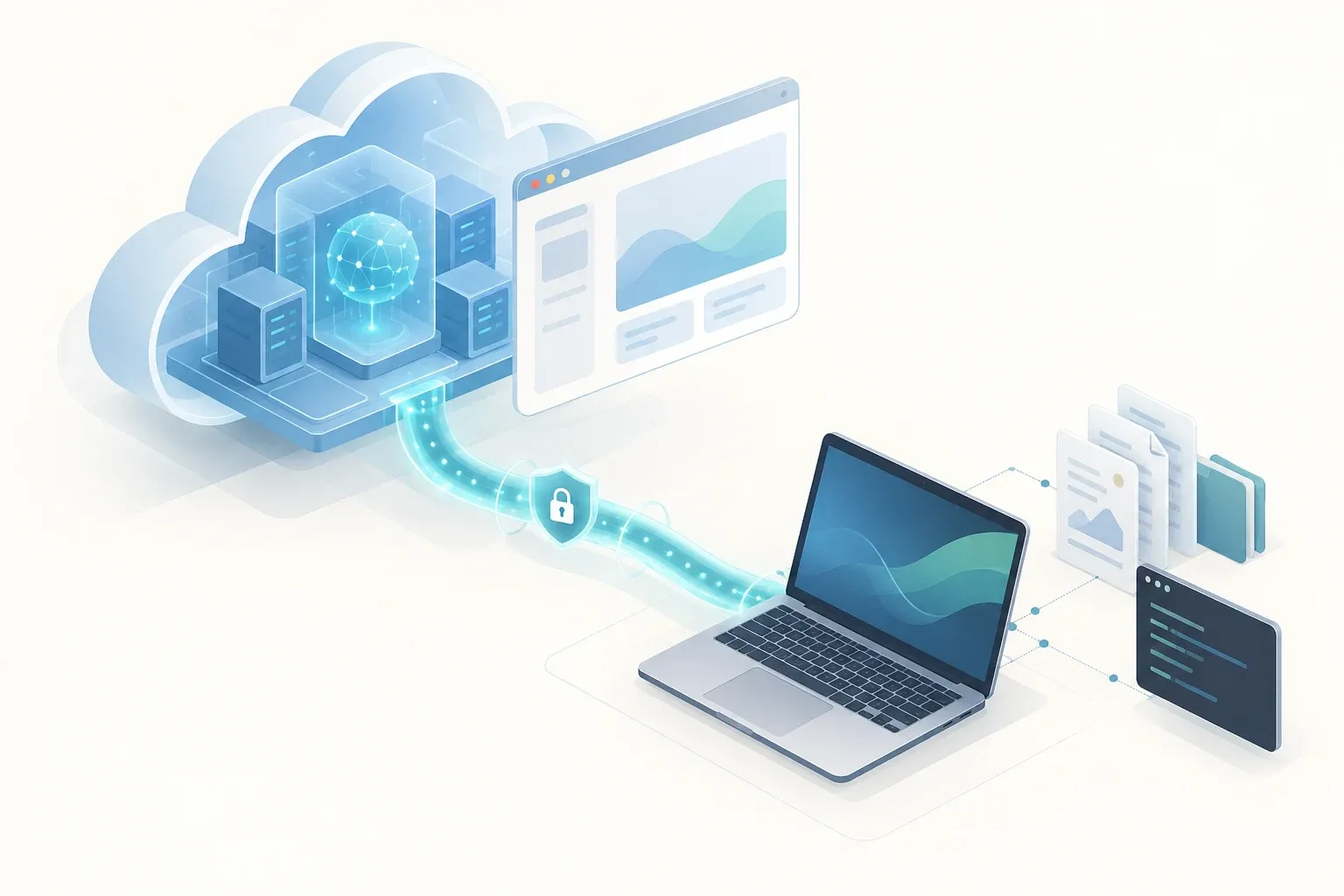
I want cloud-hosted web AI to work with the material on my computer: read documents, understand a project’s current state, continue editing files, execute commands and inspect the results.
When discussing a project in the browser, the AI can read its actual files through tools and continue in the original directories. We can analyze a problem using the same material and execution feedback.
The first goal is collaboration between web AI and a local device. Interfaces and stronger file editing came next, to make that collaboration easier to inspect and control.
Connect local tools through a tunnel
My current route uses web ChatGPT, OpenAI Secure MCP Tunnel and the official local tunnel-client to call Desktop Commander MCP.
Web ChatGPT → OpenAI Secure MCP Tunnel → Local tunnel-client → Commander MCP → Files, commands and processes.
Commander supplies local tools; the tunnel provides access. I also connected a separate Filesystem MCP and developed a C# tray application for service lifecycle, connection status and logs.
This gives cloud AI authorized access to the material and operations needed for local work. Other web clients supporting remote MCP can use this kind of approach where their transport, authentication and app support permit it. My current use is mainly with ChatGPT.
Add interaction with MCP Apps
After connecting the tools, I added interfaces through MCP Apps:
- Terminal: inspect commands and output, and retrieve results from long-running work.
- File Preview: read file contents in the conversation.
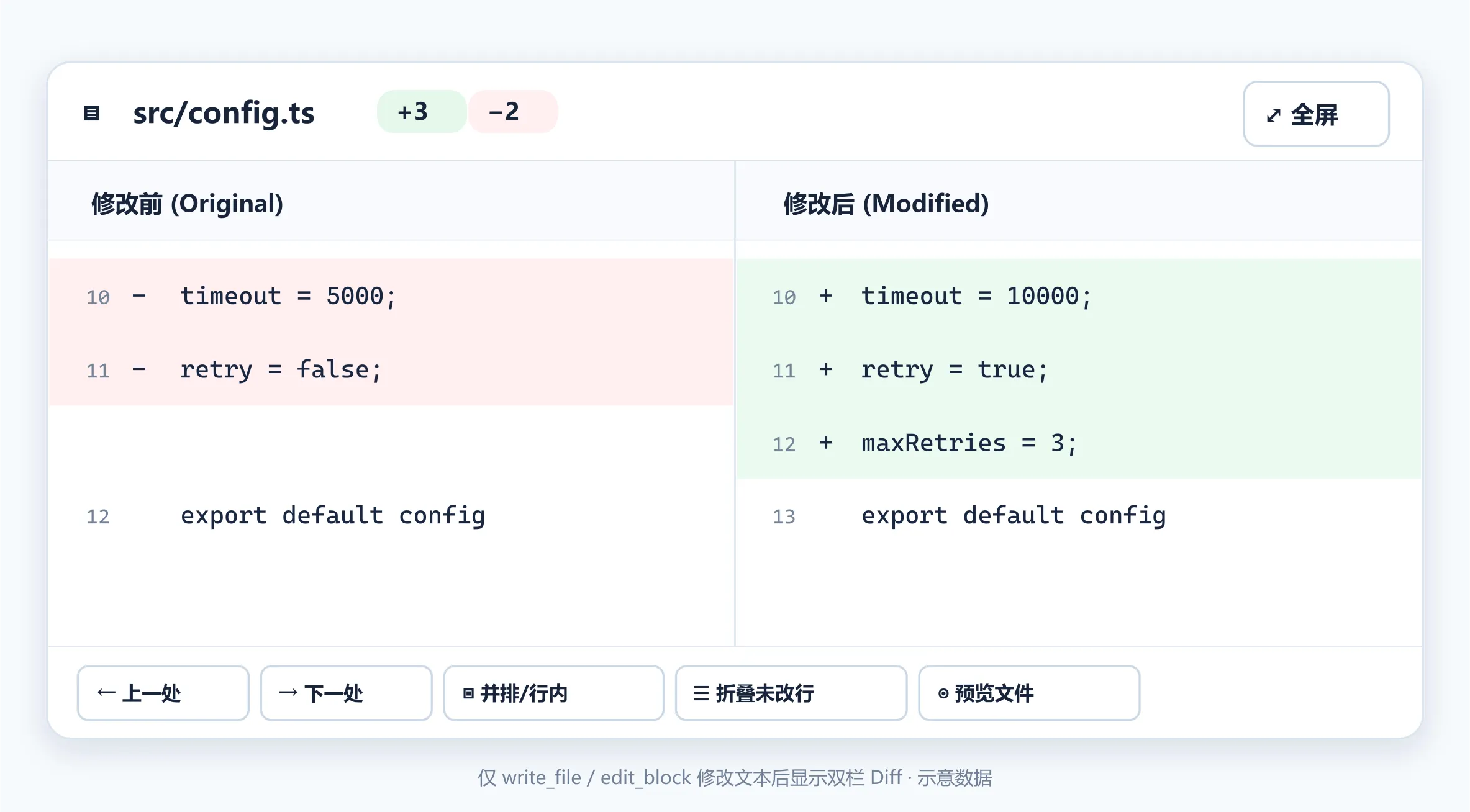
- Diff: see the edited file, switch to before-and-after differences and choose between files.
The AI calls a tool, I can see its result in the browser, and we decide how to continue. The following image is an early side-by-side Diff design mockup with illustrative data.
Improve file editing next
I added batch-edit preflight, shared canonical-path locks, per-call snapshots and conditional per-file undo.
Suppose one call changes A and B, and A is edited again later. Undo needs to inspect A’s current content so it does not overwrite the newer work. B can still be undone independently.
Batch replacements are checked in memory before writing. Different paths that resolve to the same file share a lock. The app shows the edited content by default, with differences and undo available when needed.
I also added original-file returns so the web AI can receive local images and PDFs alongside text-reading tools.
Work with the local context system
Together with my local Agent context system, the web AI can read an entry, understand the current project and follow indexes to relevant material and tools. Discussion, development and debugging can continue around the same local files.
OpenAI’s tunnel and Desktop Commander’s base capabilities are upstream work. My contribution is integration, everyday service management, MCP Apps interfaces and file-operation extensions shaped by my own use. The custom branch remains in use and continues to evolve.